
Description
Maximum Reach for your Online Business with klpsoft Feeds Premium
With klpsoft Feeds Premium for WooCommerce, you automate the export of your shop product data to the most important marketplaces and price comparison engines. Whether it is Google Shopping, Amazon, Meta (Facebook/Instagram), TikTok, or Idealo – this plugin generates error-free, compatible feeds with high performance.
Key Premium Features:
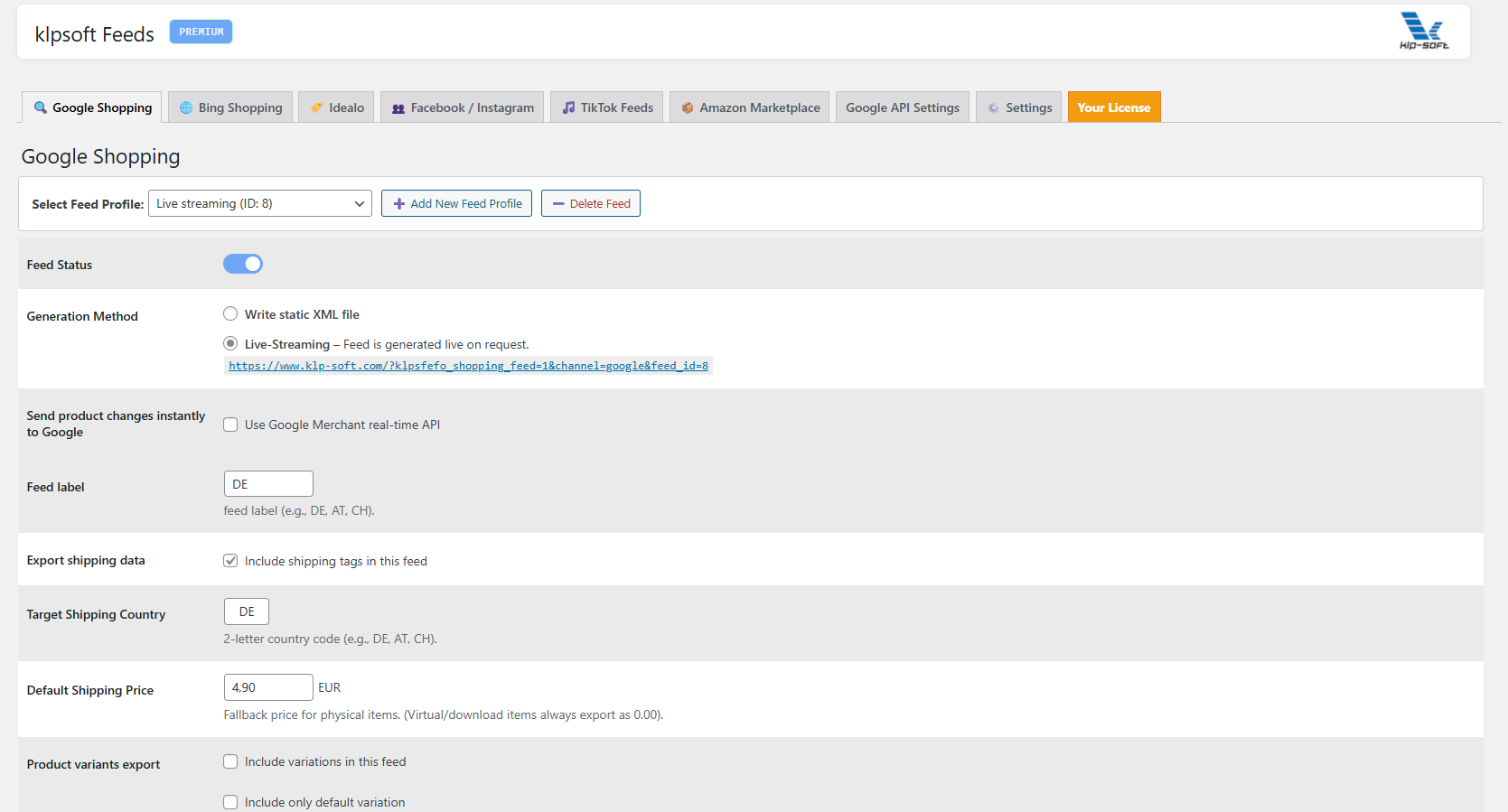
- Google Merchant Realtime API: Product changes (such as prices or stock levels) are transmitted immediately and without delay to the Google Merchant Center.
- Amazon Flat-File Export: Use the optimized, tab-separated export including all product variations for Amazon Seller Central.
- Flexible Category Mapping: Map your WooCommerce categories to official Google product categories in no time at all.
- Extensive Channel Compatibility: Ready-to-use XML and CSV feeds for TikTok, Meta Catalog, Pinterest, Geizhals and Idealo.
- Integrated UTM Tracking: Automatic appending of Google Analytics parameters for precise performance tracking of your campaigns.
Free vs Premium
| klpsoft Feeds (Free version) for Woocommerce | klpsoft Feeds Premium for Woocommerce |
|---|---|
| All features from “Free” – plus:
|
Check also our free version, at official WordPress plugin directory: klpsoft Feeds Free-Version
“Direct-to-API architecture: No data processing on third-party servers – 100% GDPR compliant.”
Frequently Asked Questions (FAQ) – klpsoft Feeds Premium
1. How can I assign custom values in the field mapping?
In the premium dashboard of the plugin, you will find the flexible attribute mapping. In addition to the standard WooCommerce fields, you can assign your own static values (Custom Values) or custom meta fields (Custom Fields) to each export channel (e.g., Google Shopping or Amazon). Simply select the option for custom values from the dropdown of the respective field and enter your desired value.
2. How can I include individual prices using a math formula in the mapping?
Using the “Custom Field (Meta-key)” option available in the data source dropdown, you can apply mathematical formulas to price fields before the data is exported. This is ideal for calculating a percentage adjustment for specific marketplaces (e.g., _regular_price * 1.0084). The arithmetic operations multiplication * and division / are permitted. The formula is applied to the WooCommerce prices in real time when the feed is generated.
3. What do I need to connect the Realtime Google Merchant API?
To activate the realtime interface, you need an active Google Merchant Center account as well as access to the Google Cloud Console to create a project there and enable the Content API for Shopping (Merchant API). You also need the “oAuth Client ID” and Client Secret for the secure connection.
4. How do I create product filters (include only / exclude) for the feed?
A powerful filtering system is at your disposal in the feed settings. You can define “Include rules” to export, for example, only products from a specific category or with specific terms in ther name. Likewise, “Exclude rules” allow you to exclude items (e.g., out-of-stock items or goods with specific meta or custom field content). The filters are applied fully automatically with every feed update.
License: valid for 1 year.
Languages: English, German.
You will receive the license key within 30 minutes of order and payment receipt.